An offline vault for Excalidraw drawings
vaultdraw
a folder of drawings, kept as files
a bit like Obsidian, for whiteboards
Pick a folder and it becomes your vault. Every drawing is a plain .excalidraw file and every folder is a real directory, so you can back it up, sync it or keep it in git however you like. Vaultdraw puts what a pile of drawings is missing around the canvas: a file tree, search inside drawings, links, history and themes.
macOS, with Homebrew
brew install --cask vaultdraw/tap/vaultdrawInstalls the app and the vaultdraw command.
your folder, as it is on disk
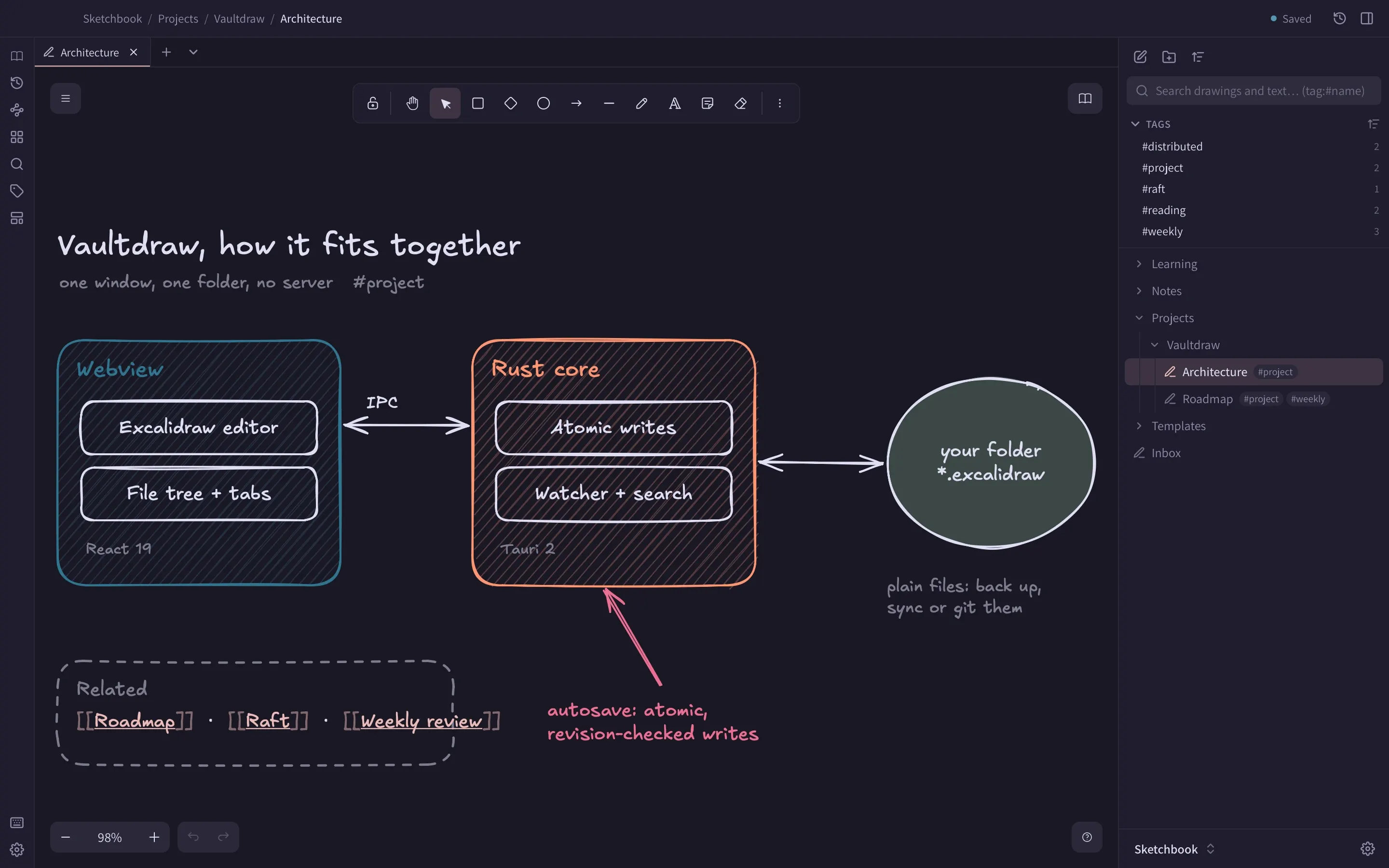
the Excalidraw you know, offline
01It is just a folder#
Your drawings stay yours.
Nothing is imported, converted or locked into a database. Close Vaultdraw and the folder is exactly what it was: drawings that open on excalidraw.com, or in any other Excalidraw app.
- No accountNothing to sign up for, nothing to sign in to.
- No cloudFonts and assets ship with the app. It works on a plane.
- No telemetryIt doesn't phone home. There is no home to phone.
- Plain text configOne
config.toml, kept in sync with Settings, reloaded as you save it.
Sketchbook/
Sketchbook/
├── Inbox.excalidraw
├── Learning/
│ ├── Graphs.excalidraw
│ └── Distributed systems/
│ ├── Raft.excalidraw
│ └── Consistent hashing.excalidraw
├── Notes/
│ ├── Weekly review.excalidraw
│ └── Reading list.excalidraw
├── Templates/
│ └── Meeting.excalidraw
└── .excalidraw-vault/ # this vault's settings and historyRaft.excalidraw
{
"type": "excalidraw",
"version": 2,
"elements": [
{
"type": "text",
"text": "Raft: leader election",
"fontFamily": 5,
"fontSize": 32,
"x": 80,
"y": 50
},
{ "type": "ellipse", "backgroundColor": "#ffec99" }
]
}config.toml
[appearance]
theme = "Rosé Pine" # a built-in theme or one in themes/
mode = "system" # light | dark | system
sync_canvas = true # canvas follows the theme's colours
[editor]
font_family = 5 # Excalifont
roughness = 1 # 0 architect, 1 artist, 2 cartoonist
[saving]
autosave_delay_ms = 500 # idle time before an edit is written02More than one drawing#
One drawing becomes a vault.
excalidraw.com edits one drawing at a time. Vaultdraw adds what you need once you have many.
Themes
Recolour the whole app, and the canvas too if you like. Drawings and exports keep their standard colours.
Themes docs →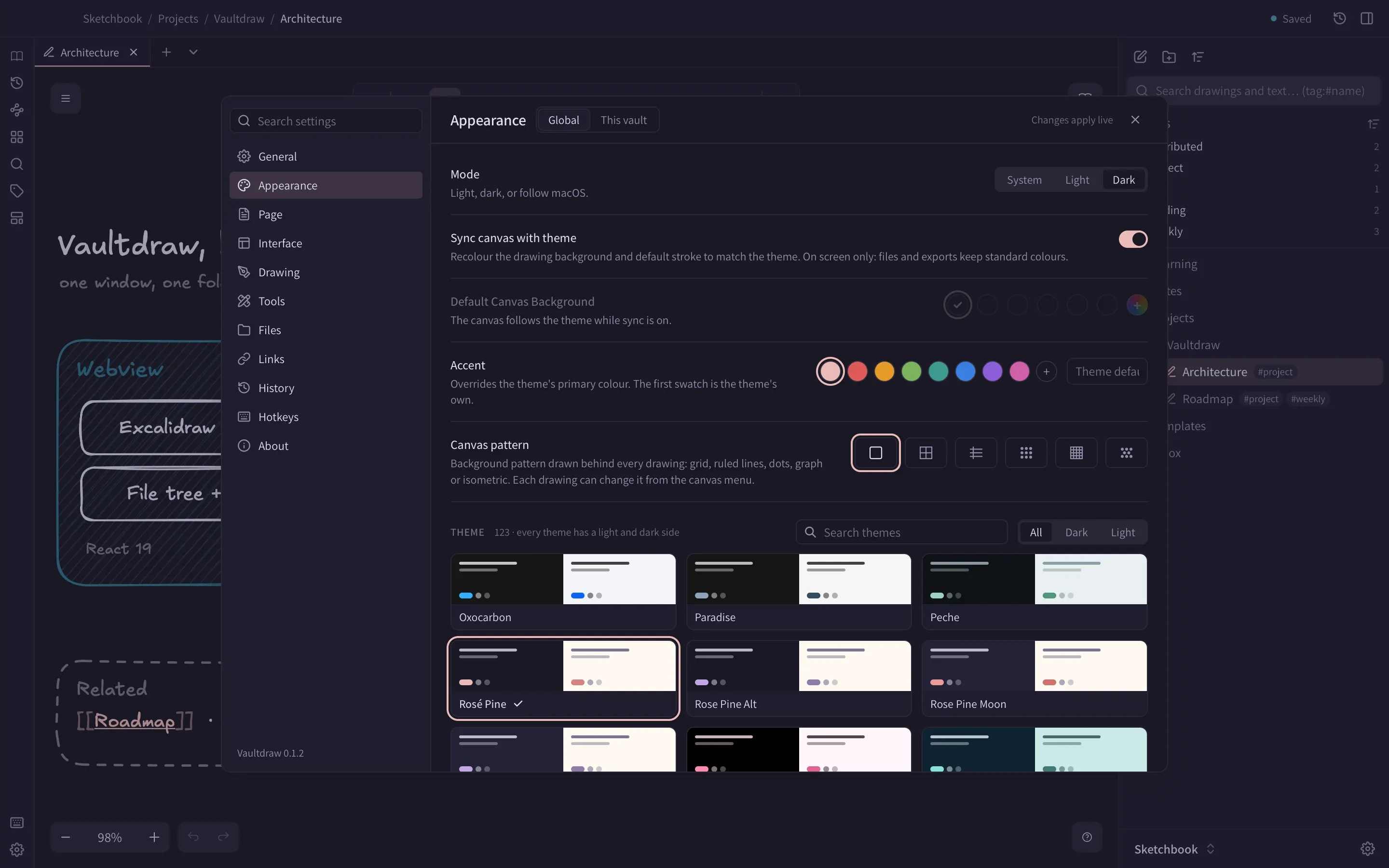
Tags
Write #ideas in any text. A panel lists every tag, search filters by them, and a rename reaches every drawing.
Tags docs →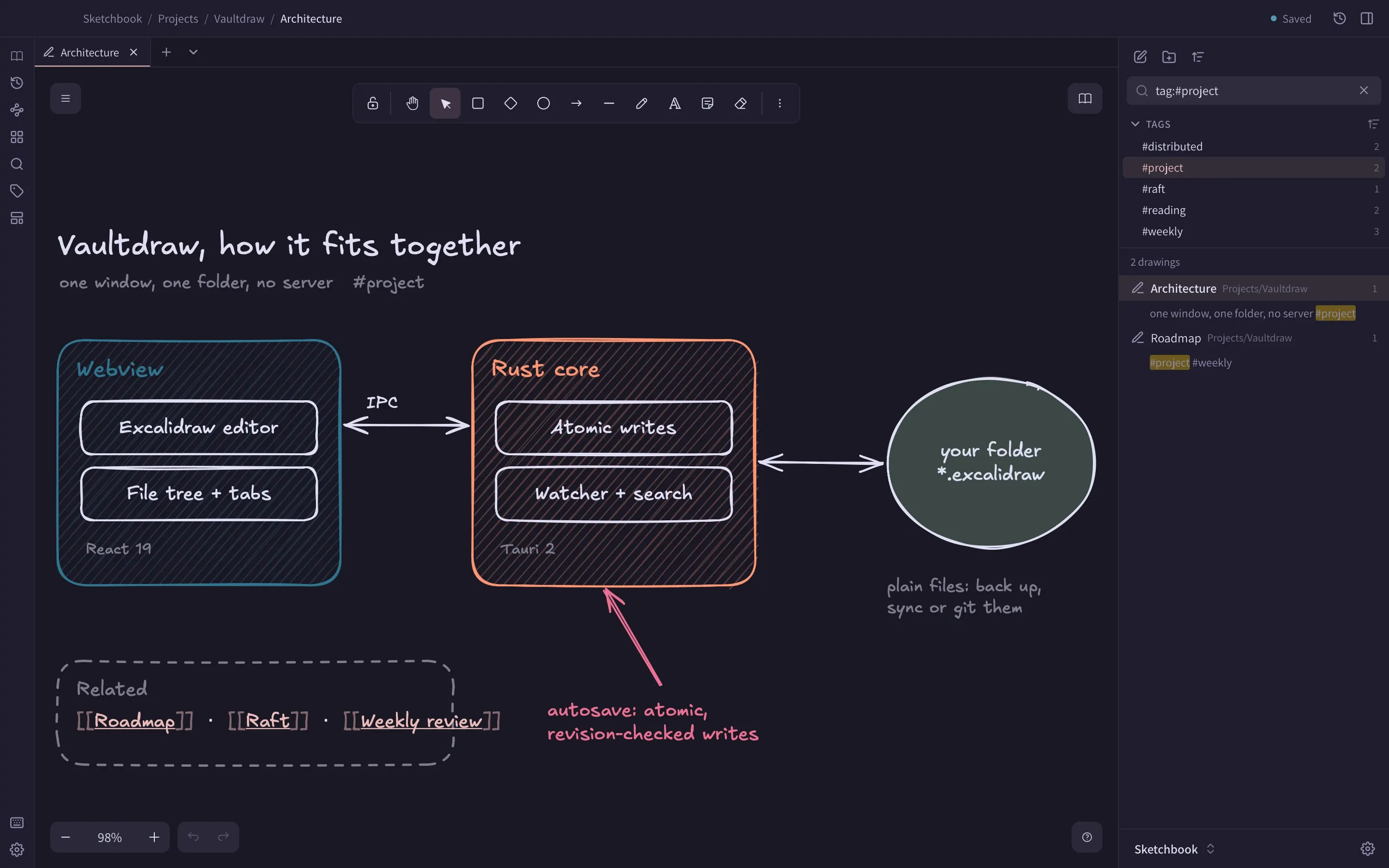
Links
Link drawings like wiki pages, from text or a shape. Backlinks show what points here; renames fix every link.
Links docs →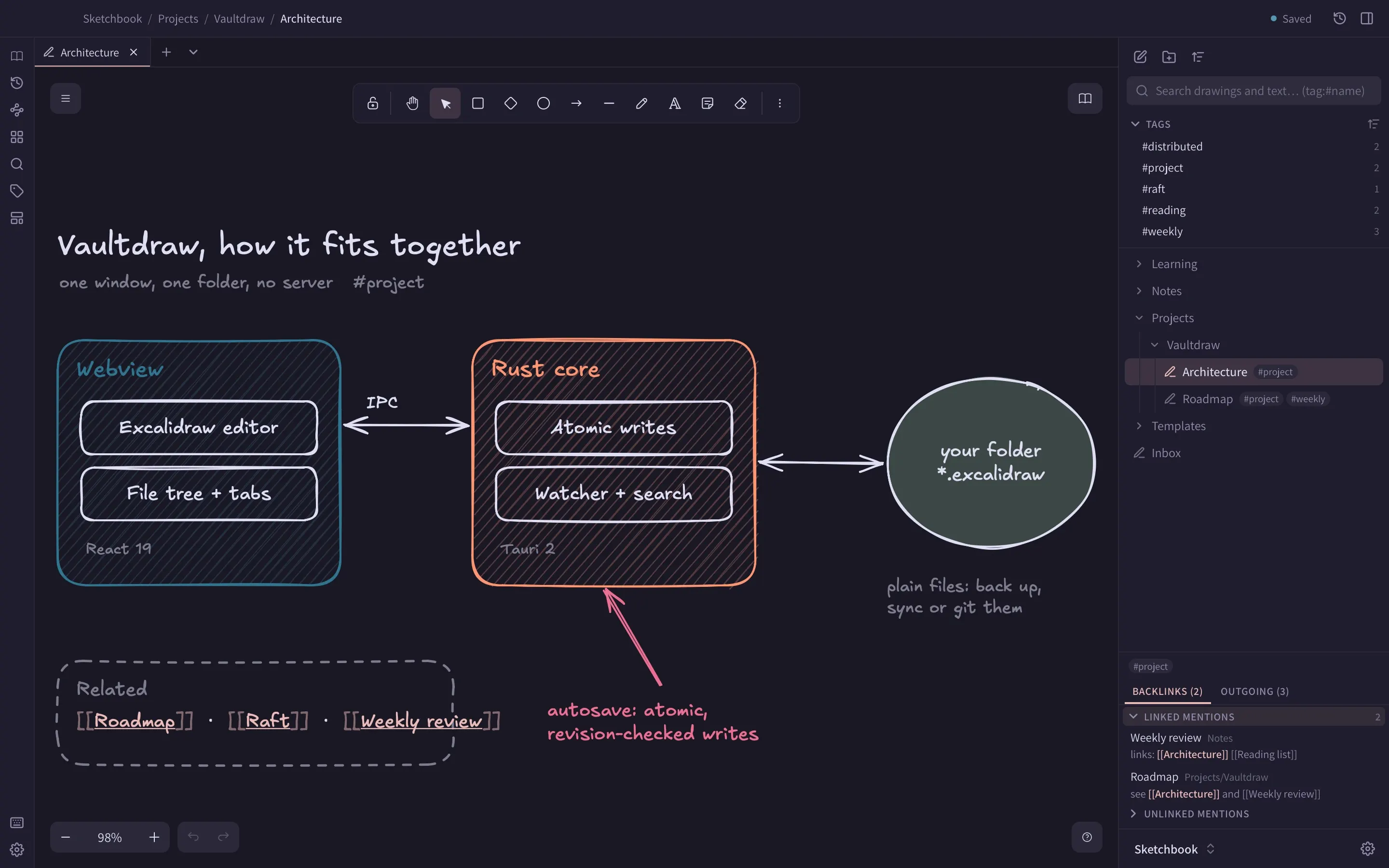
Search
Search inside every drawing in the vault, not only the open one, and jump straight to the matching element.
Search docs →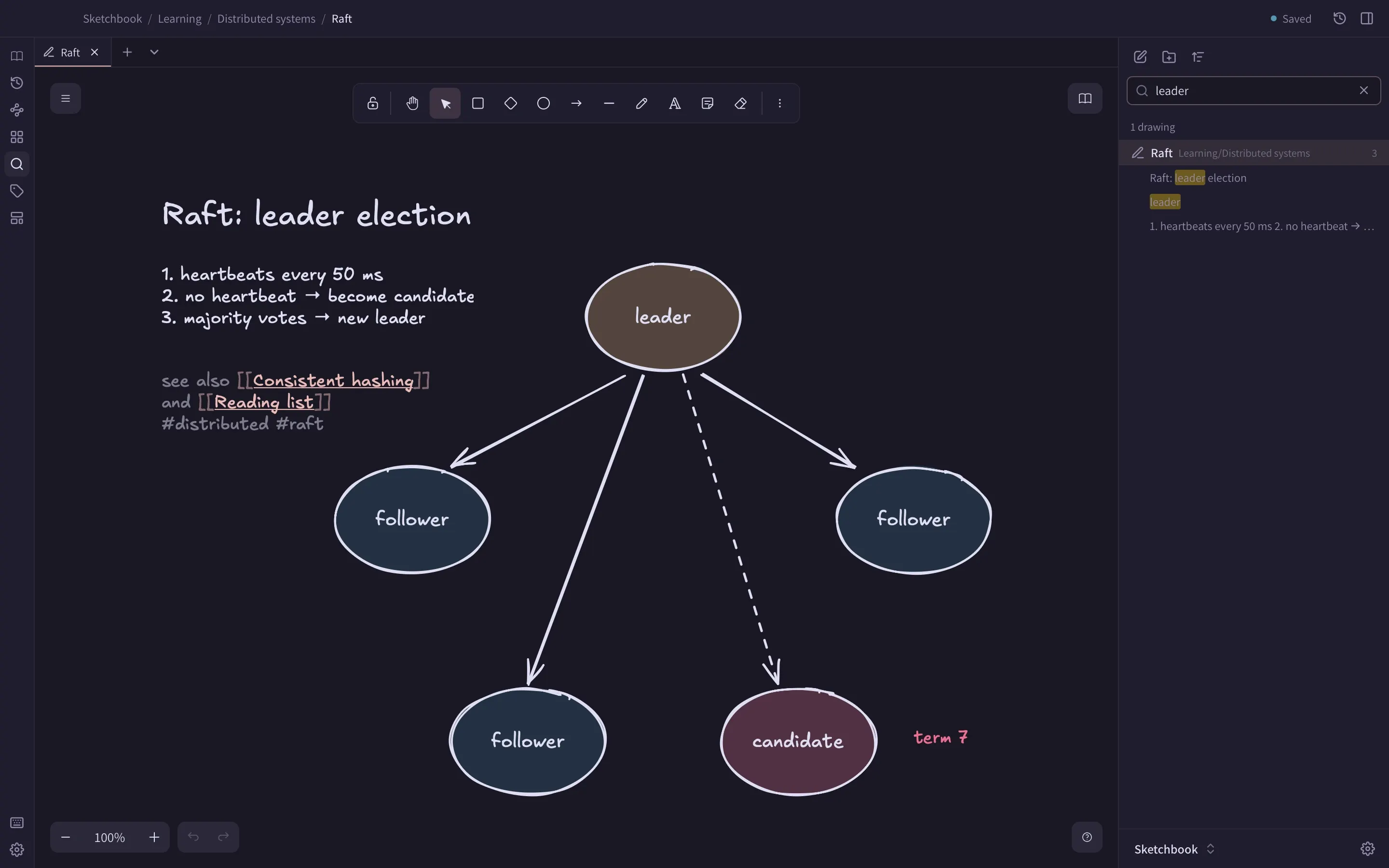
Command palette
Open any drawing by name, or run any command: themes, export, templates, settings. Each can get its own key.
Command palette docs →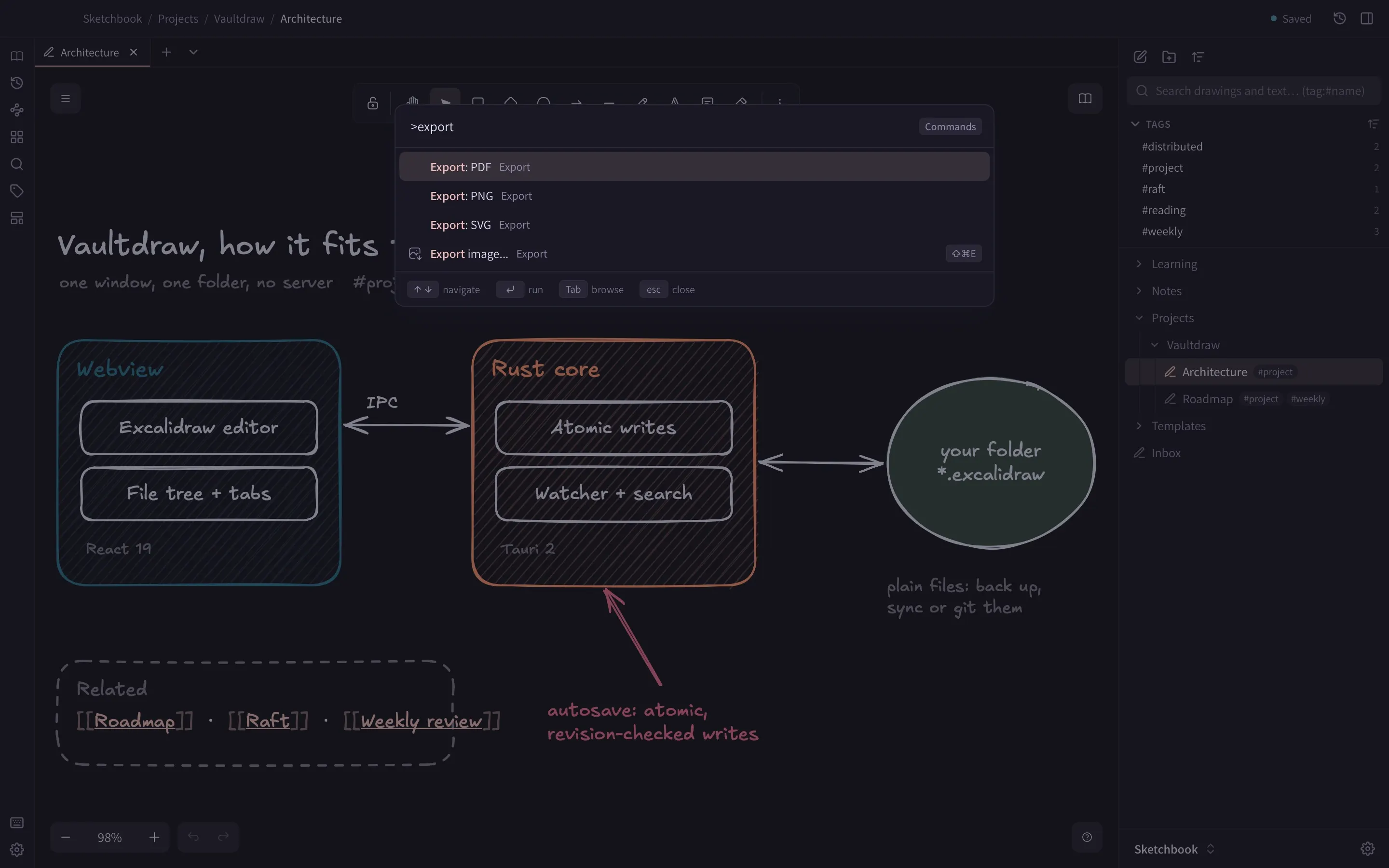
Tool settings
Every tool starts with its own style, pens are saved presets, and the laser is yours to tune, globally or per vault.
Tool settings docs →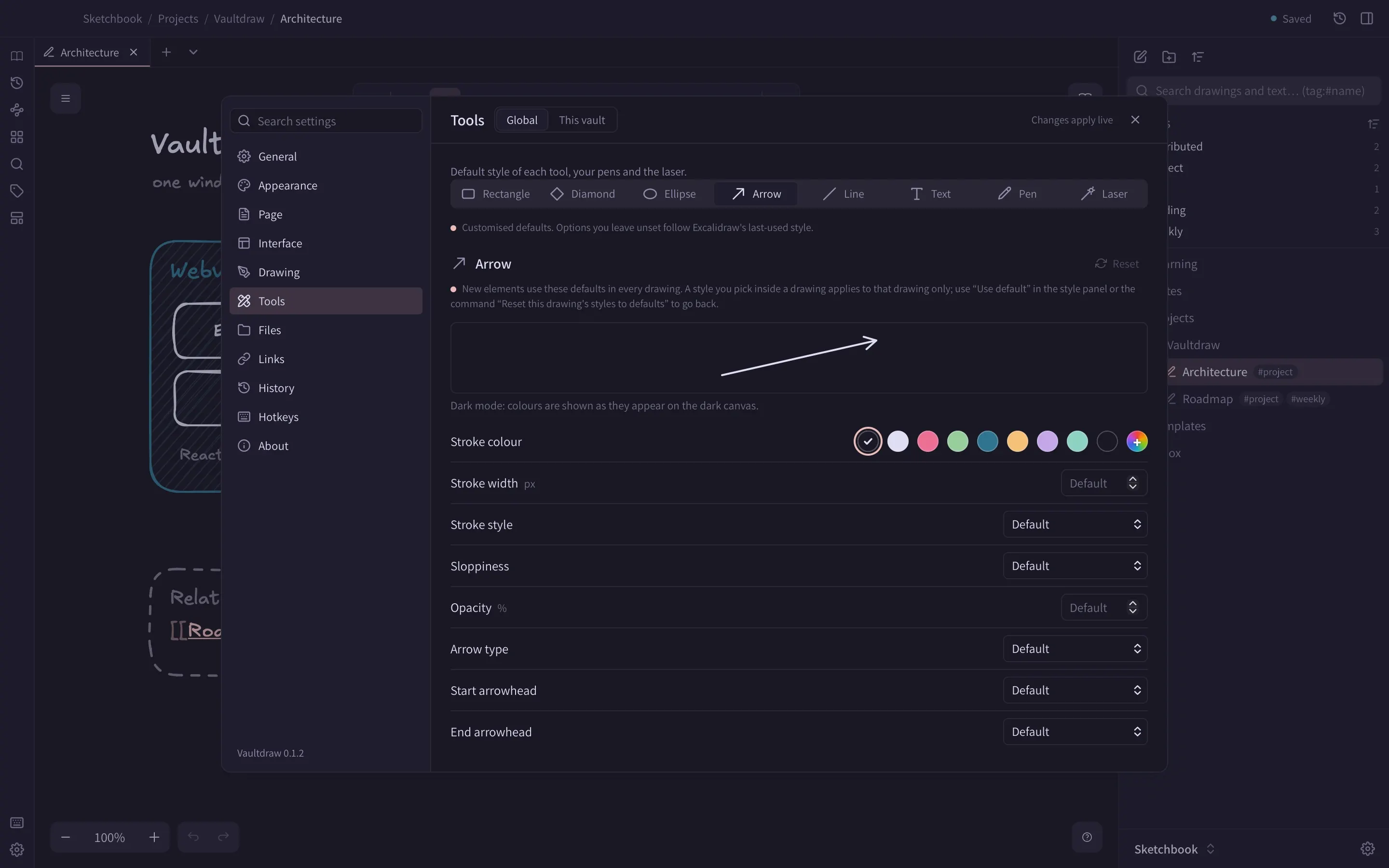
History
Earlier versions of every drawing, kept automatically. Scrub back, see what changed and restore in one click.
History docs →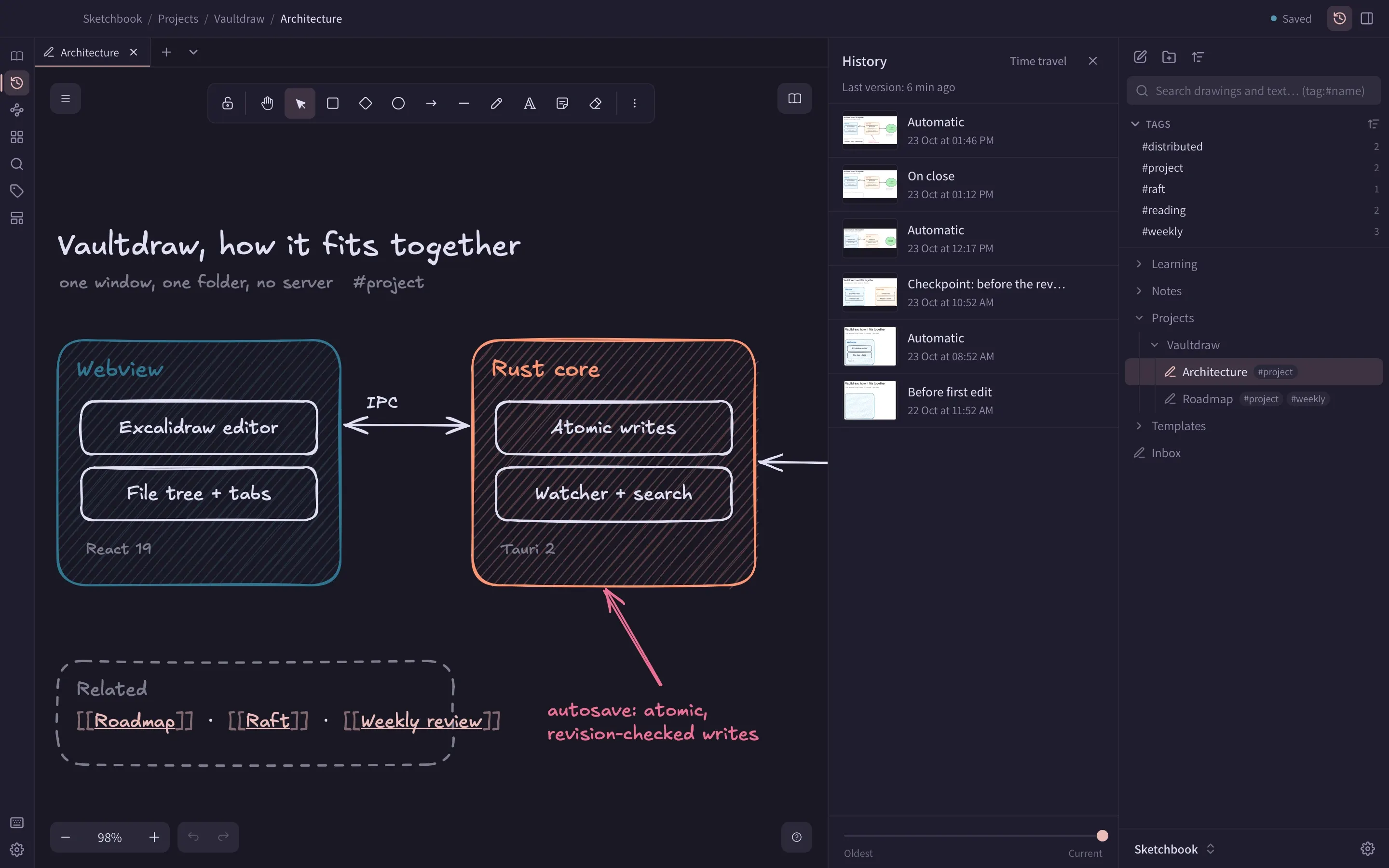
Graph view
Every drawing a dot, every link a line. The local graph shows what sits near the drawing you're on.
Graph view docs →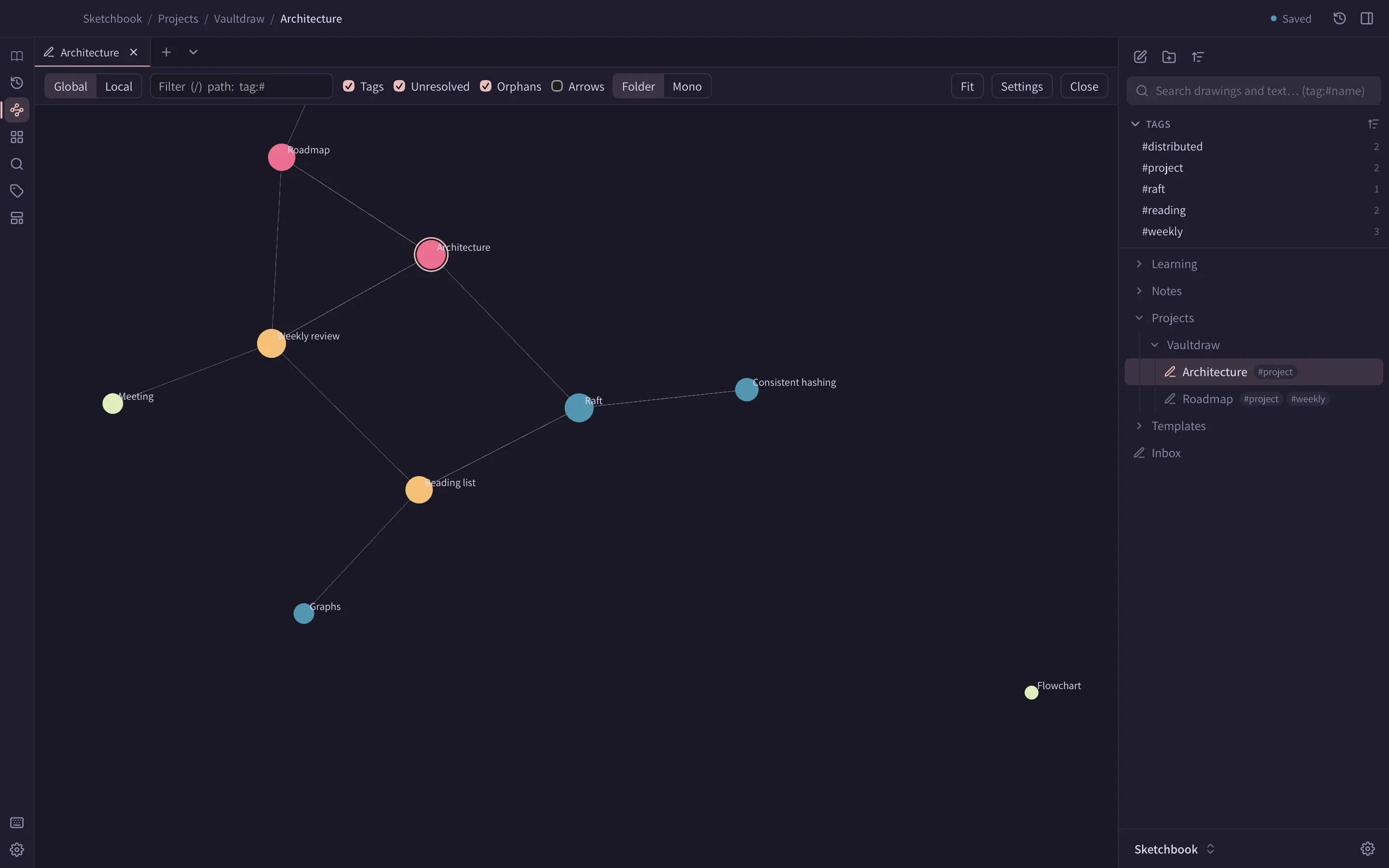
File import
Drop PDFs and images from Finder onto the canvas. PDF pages become images you can write on, rendered offline.
File import docs →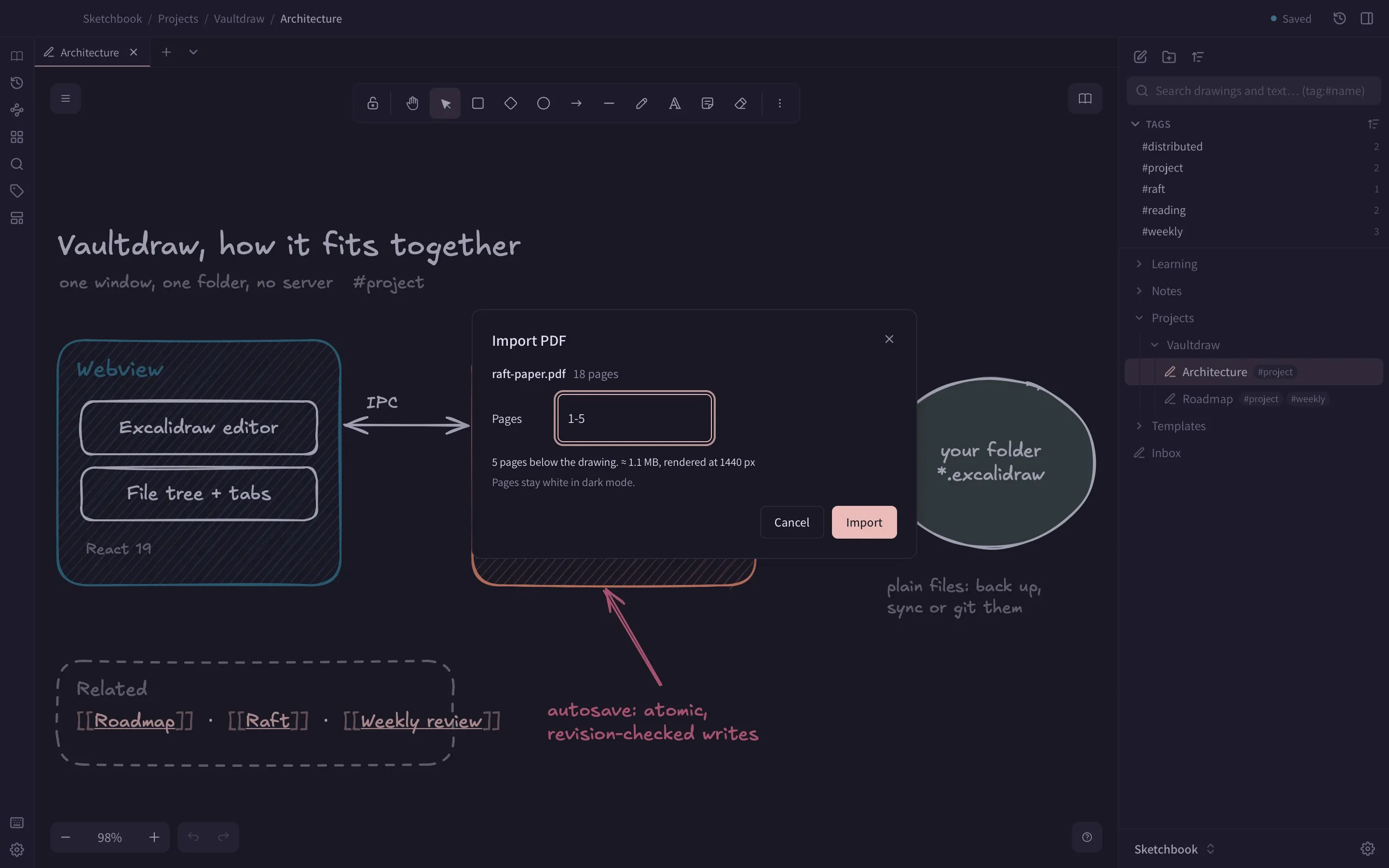
Templates
Any drawing can become a template. Start new drawings from it, with fresh ids, so the original stays untouched.
Templates docs →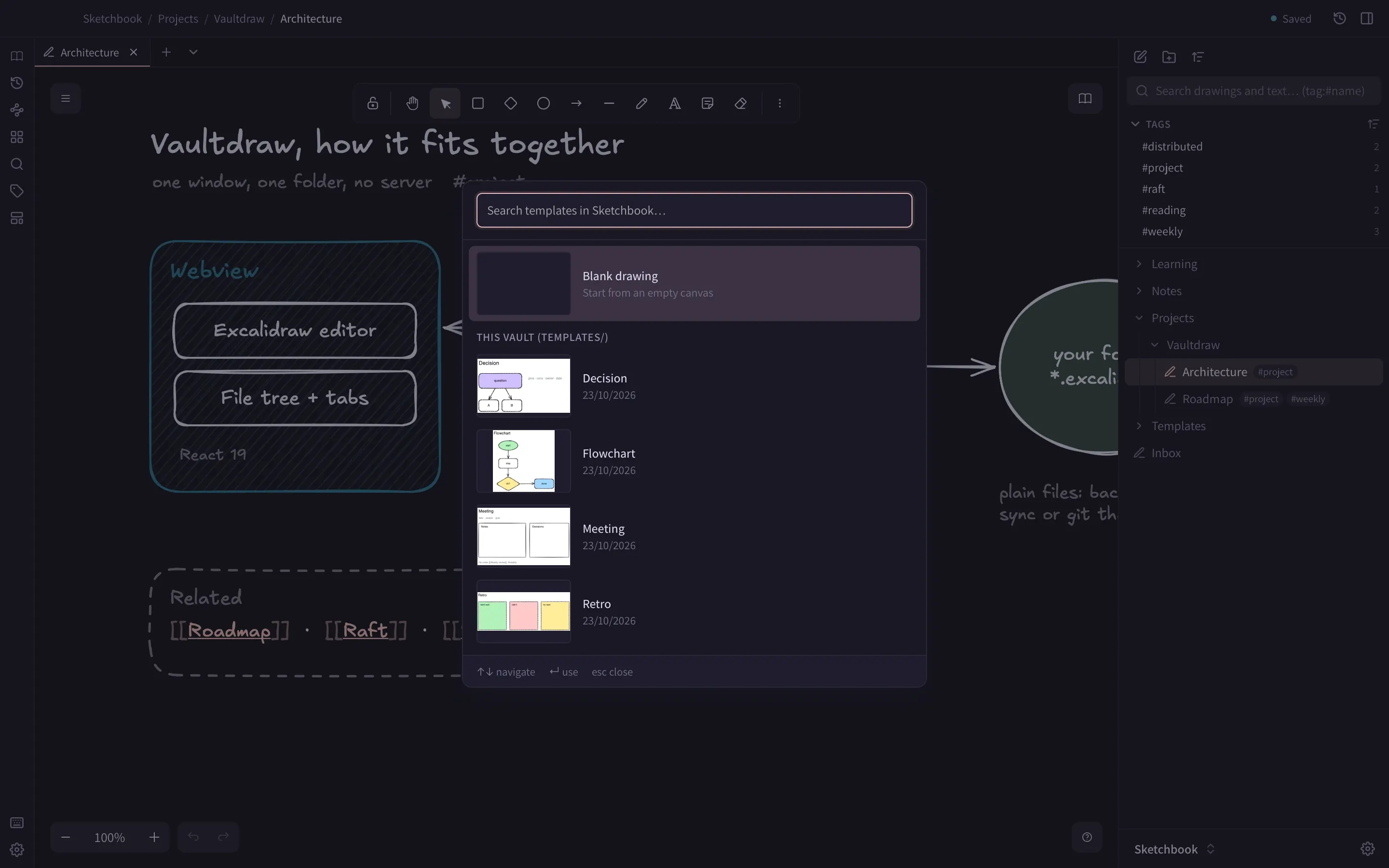
03Find it again#
Search what you wrote, not what you named it.
Search reads every text element, shape label, arrow label and frame name in the vault. Click a result and the canvas zooms to it. Type [[ to link one drawing to another; rename it and every link follows.
cafe finds Café, and the words can be in different shapes. The index lives outside your vault and rebuilds itself.04Safe by default#
Never lose a line.
Your drawings are files that sync tools, editors and git touch too, so Vaultdraw is careful with them. These are the rules it keeps.
- autosaveHalf a second after you stop drawing, the file is written.
- atomicWrites are atomic and revision-checked: the old file or the new one, never half of each.
- recoveryEdits that didn't reach the disk before a crash come back next launch.
- outside changesWhen something else changes a file, you're told, and your unsaved edits are kept.
- historyAutomatic versions and named checkpoints, stored in the vault, with time travel and restore.
- one writerA second copy of the app opens the same vault read-only instead of fighting over it.
05Keyboard first#
Everything is one key away.
One palette for drawings and commands, as in VS Code. Every editor action and every Vaultdraw feature is in it, and any of them can get a key in Settings or in config.toml.
- ⌘P
- Go to any drawing
- ⇧⌘P
- Run any command
- ⇧⌘F
- Search the vault
- ⌥⌘G
- Graph view
- ⇧⌘H
- History
- ⌥⌘N
- New from template
- ⇧⌘E
- Export image
- ⌘\
- Hide the file tree
06Past the infinite canvas#
Pages, paper, export and more.
For lecture notes, marked-up papers and diagrams that have to end up in a document, and an interface that is yours to shape.
Page mode
Draw on pages instead of an endless canvas: separate sheets or one continuous roll. Export to PDF with one page per page.
Export
1×, 2× or 3×, with or without background, the selection only, or straight to the clipboard. Exports keep the drawing's own colours.
Mermaid
Write Mermaid, get editable Excalidraw shapes. The conversion runs on your machine, with no AI involved.
Paper
Notebook backgrounds saved with the drawing, zooming with it. Old school: cream paper, blue lines, a red margin.
AI assistant
A chat panel, off until you turn it on. It answers, edits the drawing or builds a page with notes and labelled diagrams. Ask first, apply at once or read only. Offline mode blocks it.
Markdown mode
Type Markdown in a drawing's text and it is drawn as headings, bullets, quotes, bold and code. Click a task box to tick it. The text stays plain Markdown.
Your interface
Set the interface font and size, start on a minimal or blank page, and fold the file list over the drawing in narrow windows. Drawings keep their own fonts.
File tree
Select several files to move or trash them together, see pictures and PDFs, create notes, and export a whole folder as PNG or SVG. Tabs mark only unsaved edits.
07Themes#
123 palettes, light and dark.
Themes use Noctalia's palette format, so the whole collection works as it is. The file tree, menus and Excalidraw's own toolbars follow the theme. Turn on sync canvas and the drawing does too, on screen only: saved files keep Excalidraw's colours. This page wears them as well, so try one.
Show all 123
● the screenshots on this page change with these
Bring your own
Three colours per mode is enough; Vaultdraw derives the rest and keeps text readable. Drop the file inthemes/ in the config folder and pick it in Settings.
{
"dark": {
"mSurface": "#1b1d2b",
"mOnSurface": "#d8dae8",
"mPrimary": "#82aaff"
},
"light": {
"mSurface": "#f6f6fa",
"mOnSurface": "#2b2d3a",
"mPrimary": "#3b6fd8"
}
}08Get Vaultdraw#
Free on macOS and Linux.
Vaultdraw 0.2.0 runs on macOS, on Apple Silicon and Intel, from one universal DMG, or with Homebrew, and on Linux as a .deb, .rpm, AppImage or AUR package. The builds aren't signed, so the first open on a Mac takes an extra step: the download page shows how. Windows isn't available. You can also build it from source in a few minutes.
git clone https://github.com/Vaultdraw/vaultdraw
cd vaultdraw
yarn install
yarn desktop:buildbrew install --cask vaultdraw/tap/vaultdrawInstalls the app and the vaultdraw command.