Docs · Using Vaultdraw
Search
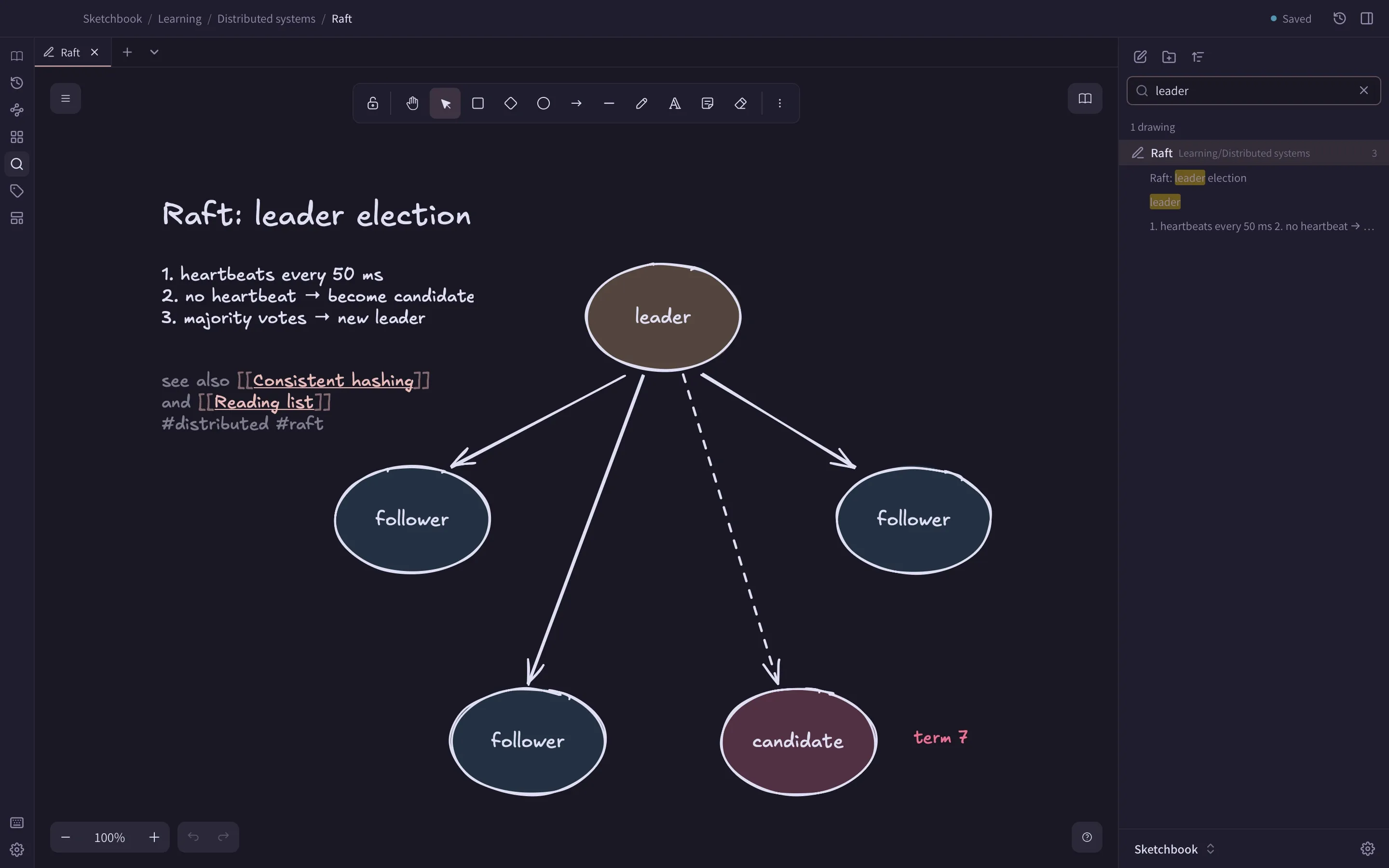
Find text inside every drawing in your vault, by name, content or tag.
Search the vault
Type in the search box at the top of the file tree, or press Cmd+Shift+F to jump there. Search looks at:
- drawing names and folder paths
- text elements
- labels inside shapes and arrows
- frame names
- the source of LaTeX formulas, so
\intis findable like text
Text inside library items is not searched.
Results are grouped by drawing, with up to five highlighted snippets each. Use Up and Down to move, Enter to open a row and Esc to clear the search. Click a snippet and the drawing opens zoomed to that element, with it selected. For a label, the shape or arrow it belongs to is selected.
Matching rules
- Case, accents and character width are ignored:
cafefindsCafé, and full-width letters find plain ones. - A term can match inside a word:
graphfindsDijkstra graphs. - Every word you type must appear in the drawing, but the words can be in different elements.
- Chinese, Japanese and Korean text is searched as written, without spaces between words.
Filter by tag
Add tag:#name to a search to limit results to drawings with that tag. It combines with words: tag:#dsa graph. See Tags.
The search index
Drawings are indexed in the background into a search index that lives in the state folder, outside your vault.
The index is in ~/.local/state/vaultdraw/index/ by default, and VAULTDRAW_STATE_DIR changes the folder. Nothing is written into your vault. It is rebuilt automatically when it is missing or damaged, so it is safe to delete.
The first time a large vault is indexed, the status line shows progress such as “Indexing 1,234 of 5,000 drawings…”. Results cover only the drawings indexed so far.
From a terminal, vaultdraw search searches the same way. See Command line.
Building the index for the first time is faster. On a vault of 5,000 drawings, vaultdraw search and the first in-app search took about 240 ms instead of 360 ms at background priority, with 20 to 30 percent less CPU. The indexer now reads each drawing only up to its elements, not the embedded images, and reads on up to 8 threads. The index is still stored outside your vault and is still safe to delete.